Google API 環境建置
Google Docs API 提供了讀取、寫入、更新三種API
每個Google文件有各自專屬的documentId,如下:
環境設定&Sample程式碼:
- 開發環境 Java 17 with SpringBoot / Java 1.8 以上版本必要。
- 套件管理 maven / Gradle 7.0 以上版本
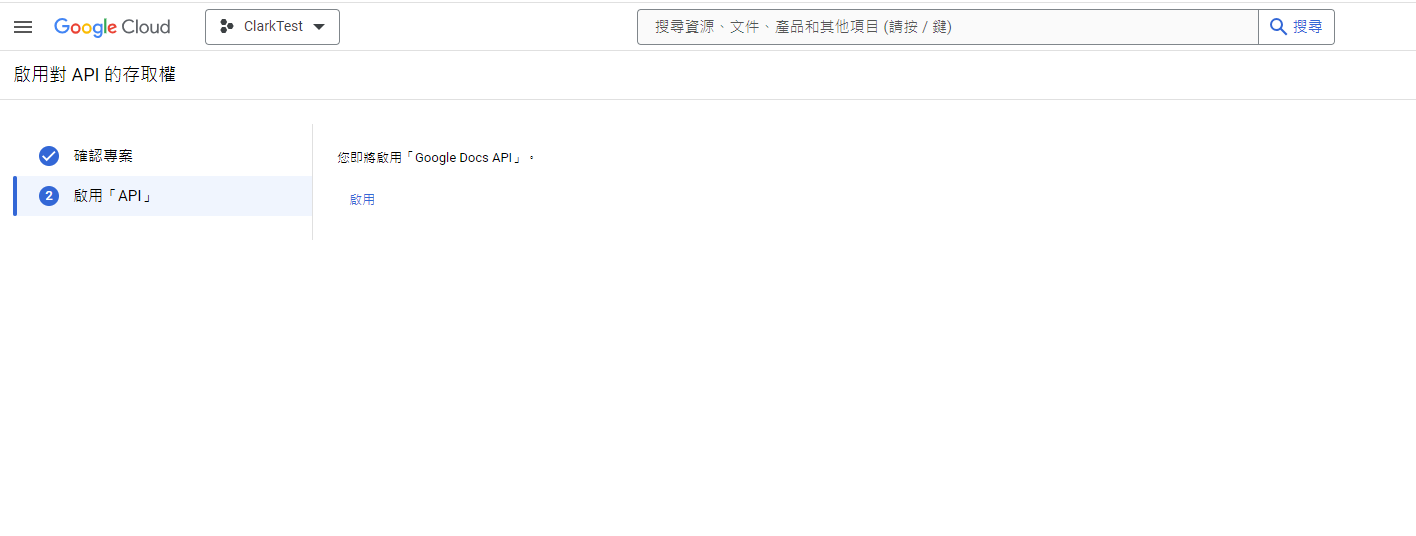
- 在Google Cloud 專案啟用 API,如果沒有專案請新建一個。
- 啟用Google Docs API。
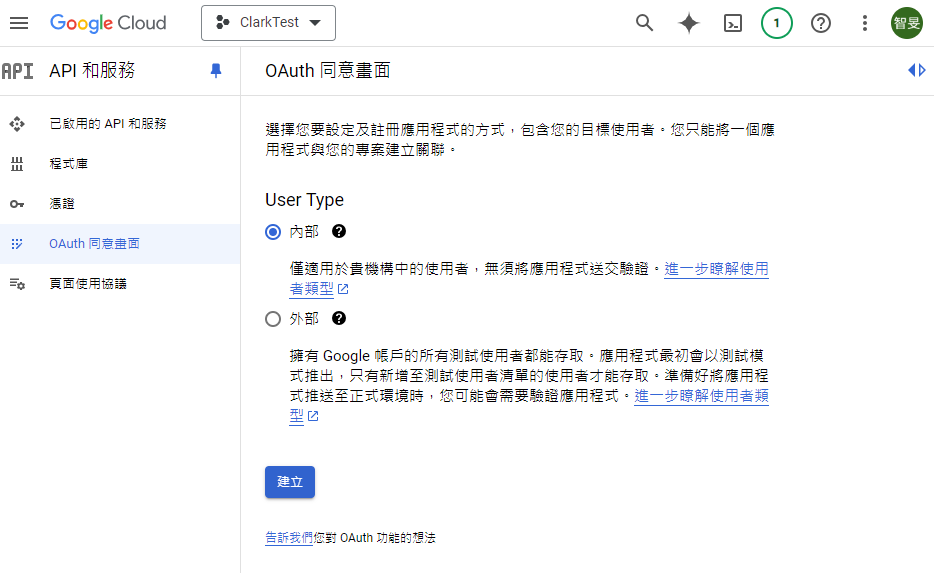
- 開啟Google Cloud Console,點選「選單」 > 「API 與 服務」 > 「同意畫面」 > User Type 選擇內部後建立。
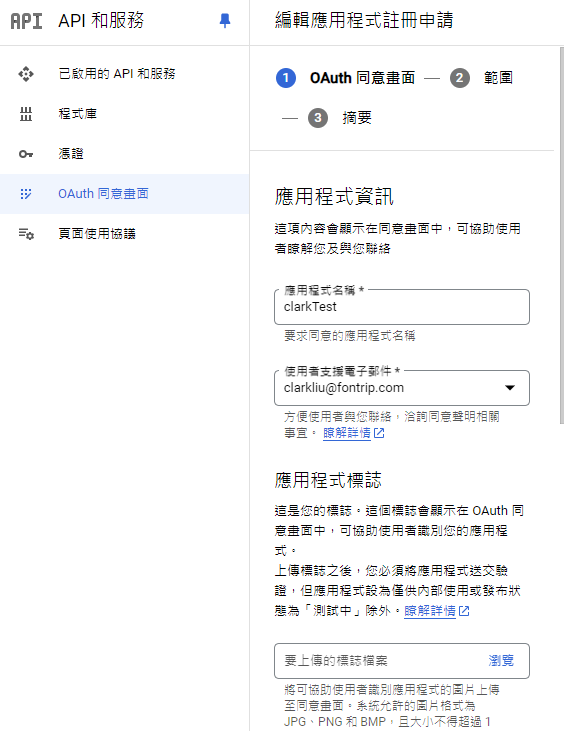
- 輸入支援Email後建立。
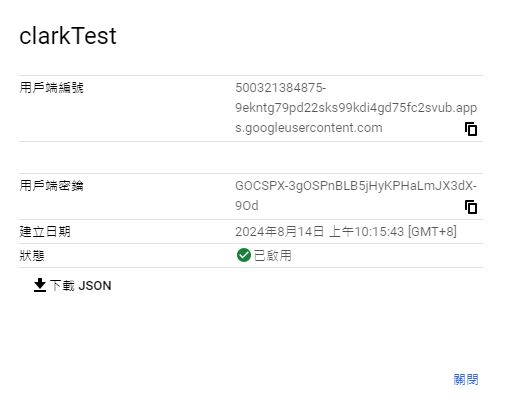
- 在Google Cloud console中,點選「選單」> 「API與服務」 > 「憑證」 > 「建立憑證」 > 「OAuth Client ID」 > 應用程式類型選擇「電腦版應用程式」、命名一個憑證名稱。
- 建立完成後,需要下載憑證(credentials.json檔案)並放置到檔案的工作目錄
- 引入需要的套件
1 | |
如果要使用其他功能,會需要Enable 其他的API
參考文件:
https://developers.google.com/docs/api/how-tos/overview?hl=zh-tw
https://developers.google.com/docs/api/quickstart/java?hl=zh-tw
https://developers.google.com/docs/api/reference/rest?hl=zh-tw
https://developers.google.com/docs/api/reference/rest/v1/documents/get?hl=zh-tw
https://developers.google.com/docs/api/reference/rest/v1/documents/batchUpdate?hl=zh-tw
https://developers.google.com/docs/api/samples/output-json?hl=zh-tw
https://developers.google.com/docs/api/how-tos/move-text?hl=zh-tw
https://developers.google.com/drive/api/guides/create-file?hl=zh-tw
Google API 環境建置
https://clark1945.github.io/2024/09/15/Google-API-環境建置/