My forth day started learning Kubernetes
Job
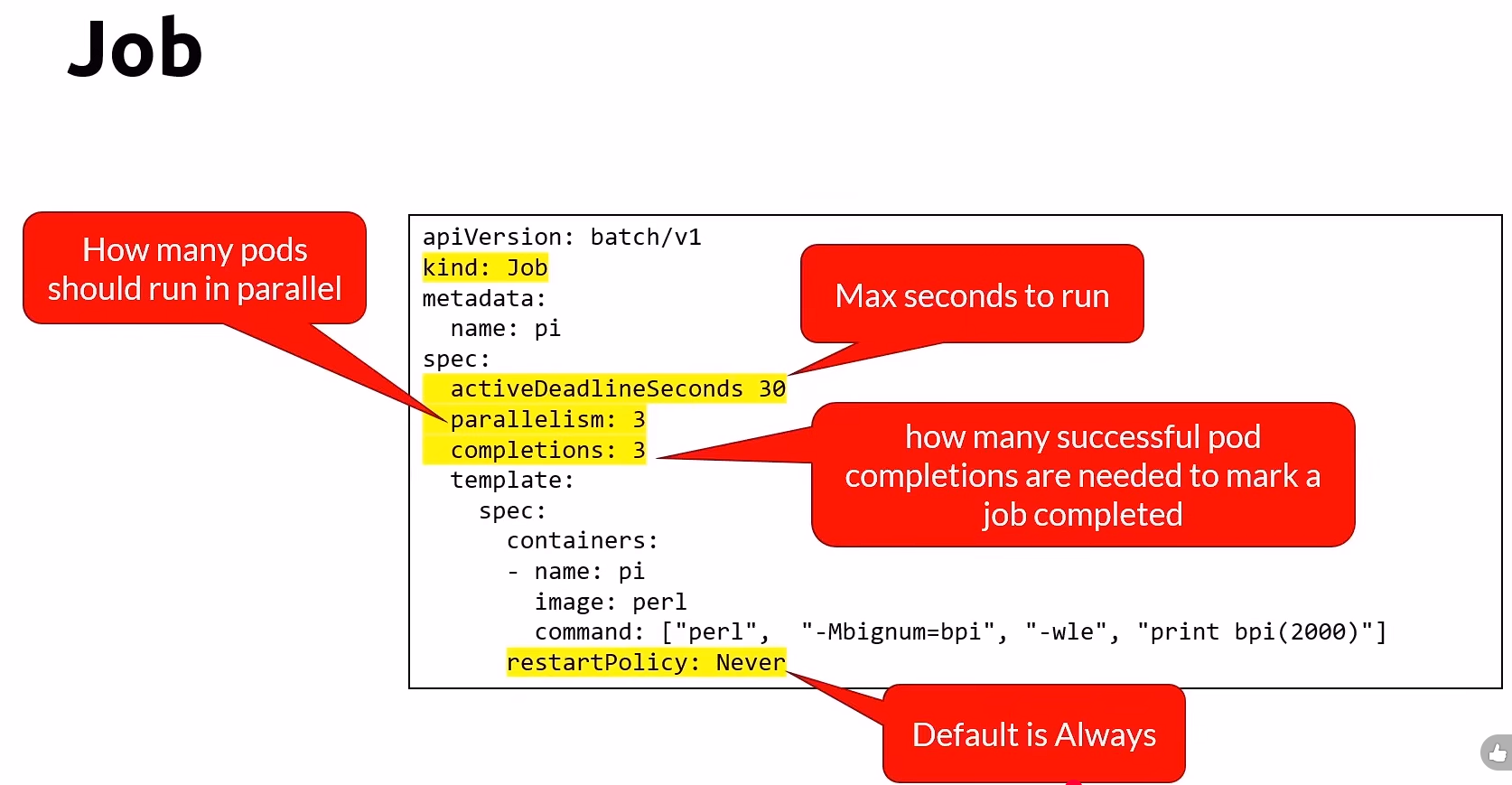
- Short lived tasks
- 建立一個或多個Pod並確保他們成功結束
- Job是一個一個建立的,想要同時建立多個Job,加入平行化功能。
Job yaml
CronJob
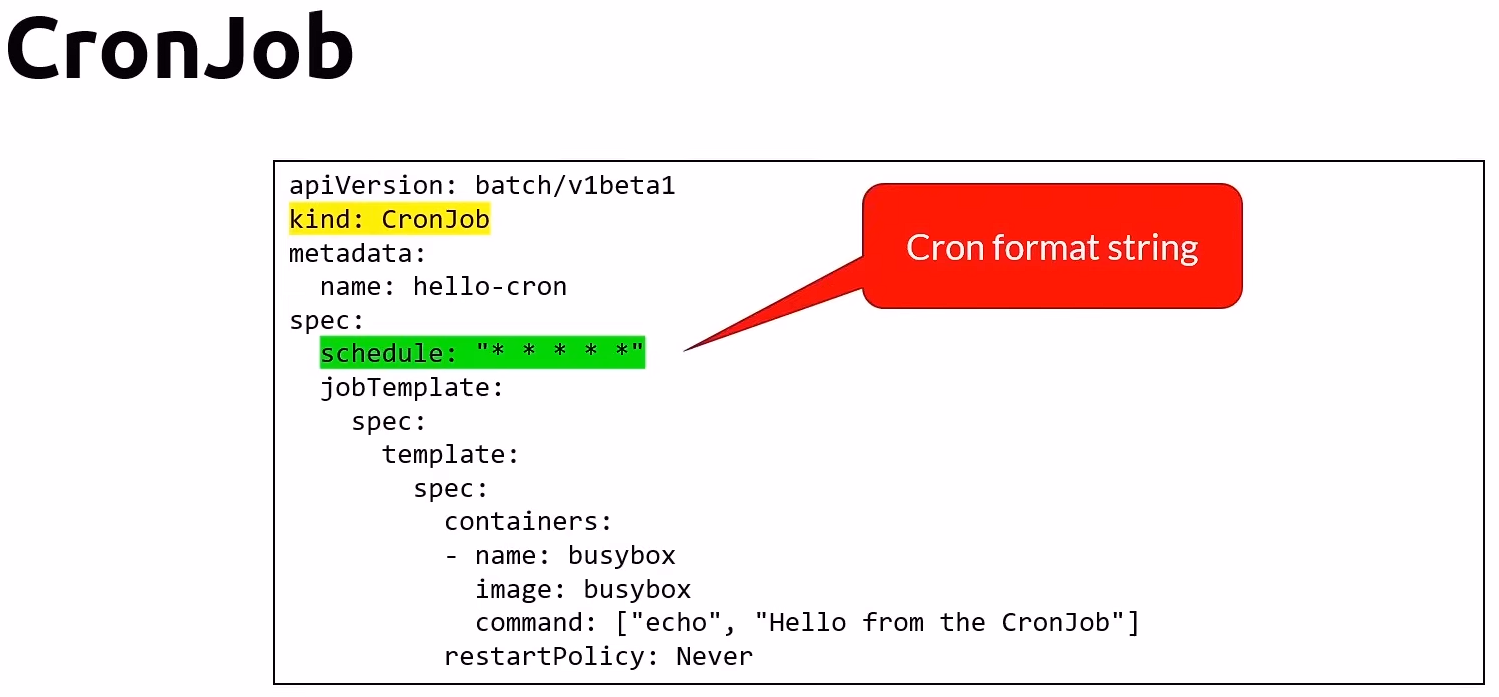
- An extension of the Job
- Provides a method of executing jobs on a cron-like schedule
- UTC only
CronJob yaml
確認CrobJob是否成功
- 查看History
- 最後三個成功的Job會被留存
- 最後一個失敗的Job會被保留
sucessfultJobsHistoryLimit可以讓你不保留成功的History (set to zero)
Rolling Updates
- maxSurge 在更新途中,可以多建立幾個Pod用來更新。
- maxUnavailable 在更新途中,可以允許幾個Pod是不可用的。
Blue-Green Deployment
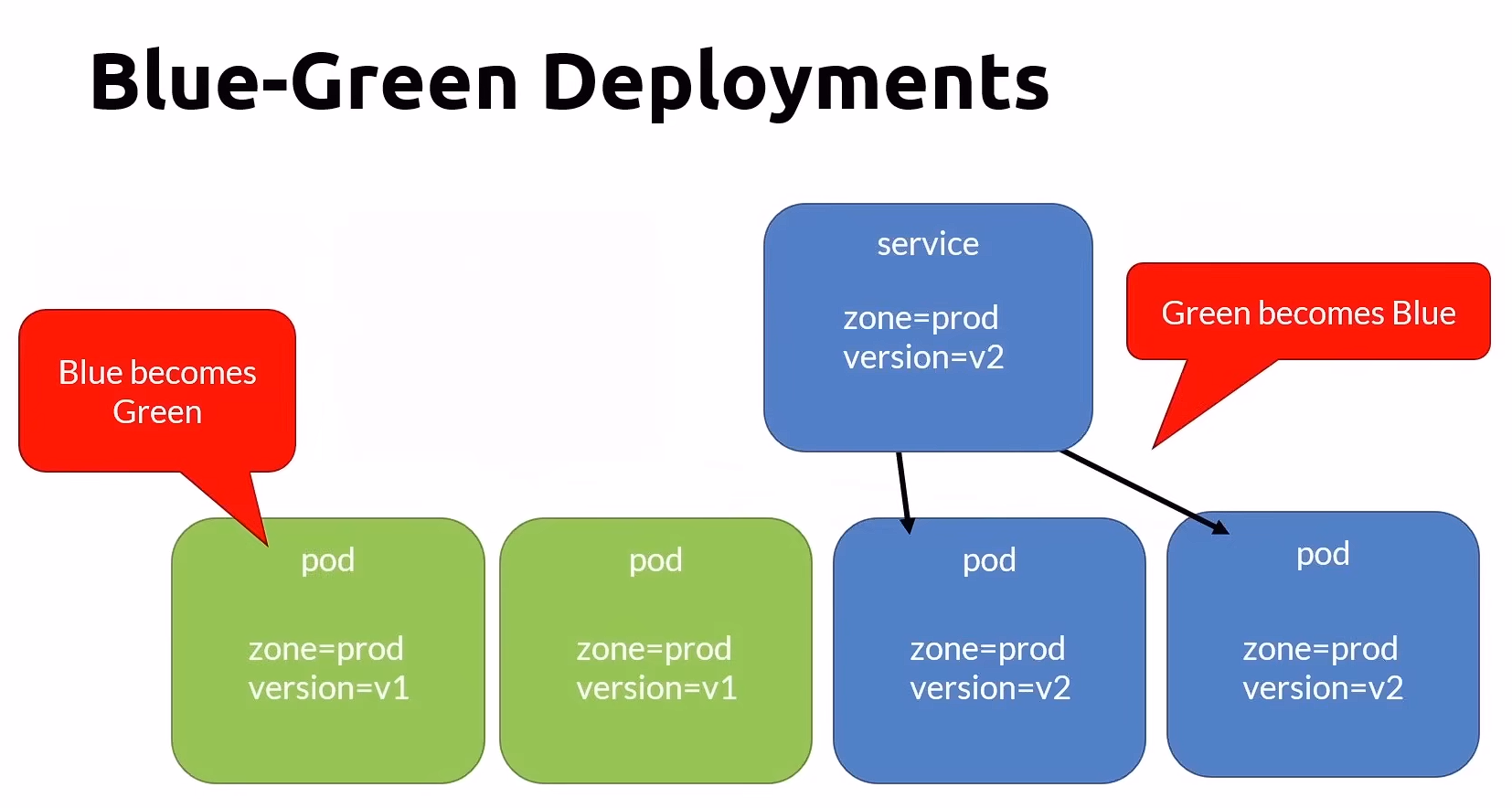
Challenge
- Does not solve thenew database schema problem entirely
- You have to over provision the cluster size
Services
- IP是隨機的,當Pod被Replace之後還能正常連接其他Pod,需要依賴Service
- 使用static IP, static DNS name, [servicename].[namespace].svc.cluster.local
Service 用 Selector 配對Pod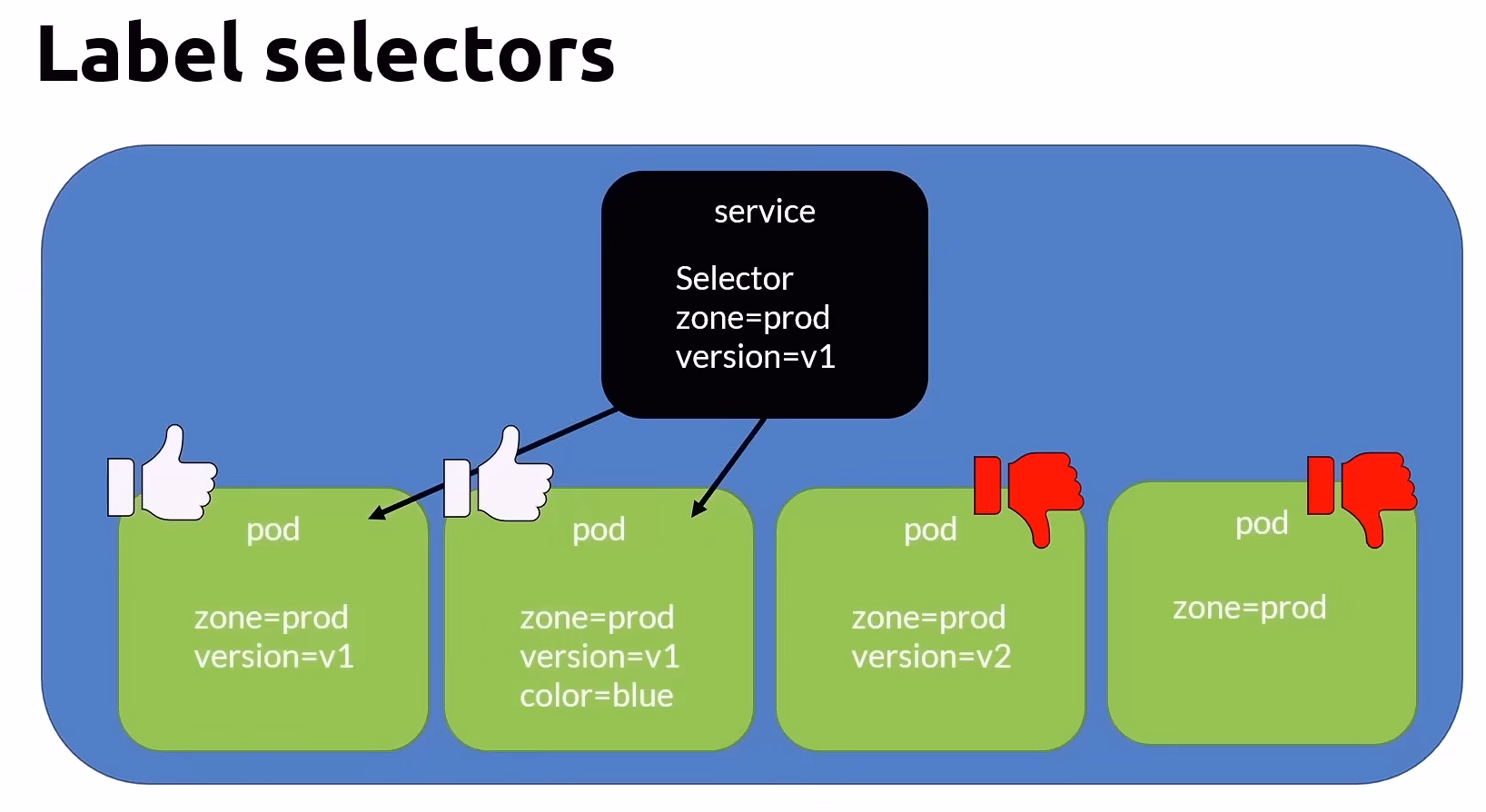
透過Service訪問指令Pod,Service還提供了Load Balance的功能。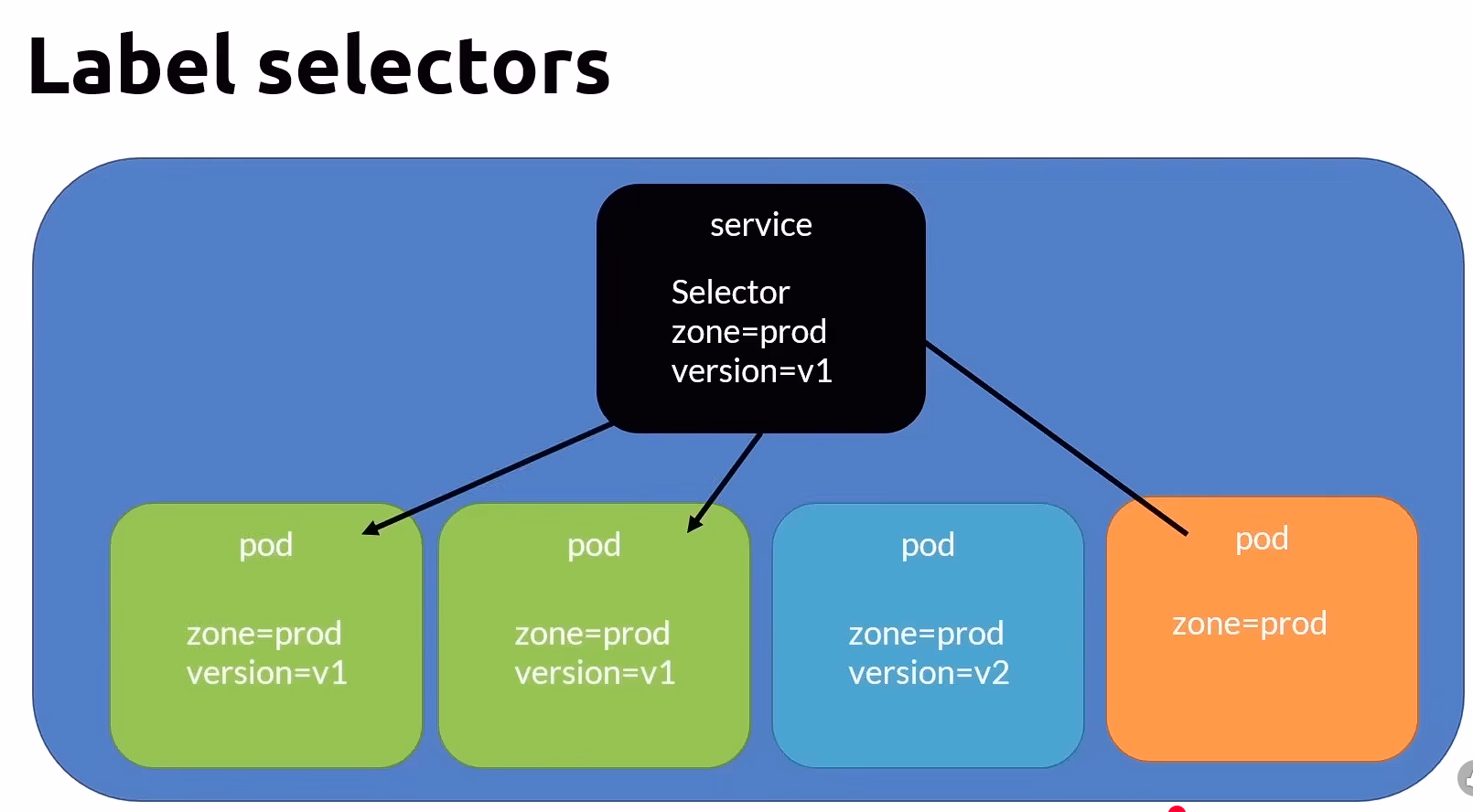
Service分為三種類型: ClusterIP(Default), NodePort, LoadBalancer
ClusterIP
- Default service that with Cluster internal visibility.
- port 是Service可以被外部連線的路徑,TargetPort是Pod內部可以被連線的路徑。
- 使用Round Robin演算法做Load Balanced ,可以設定Session affinity(黏性對話)。
- 用途是提供一個持久化的方法給同Cluster內的其他Pod呼叫使用。
ClusterIP yaml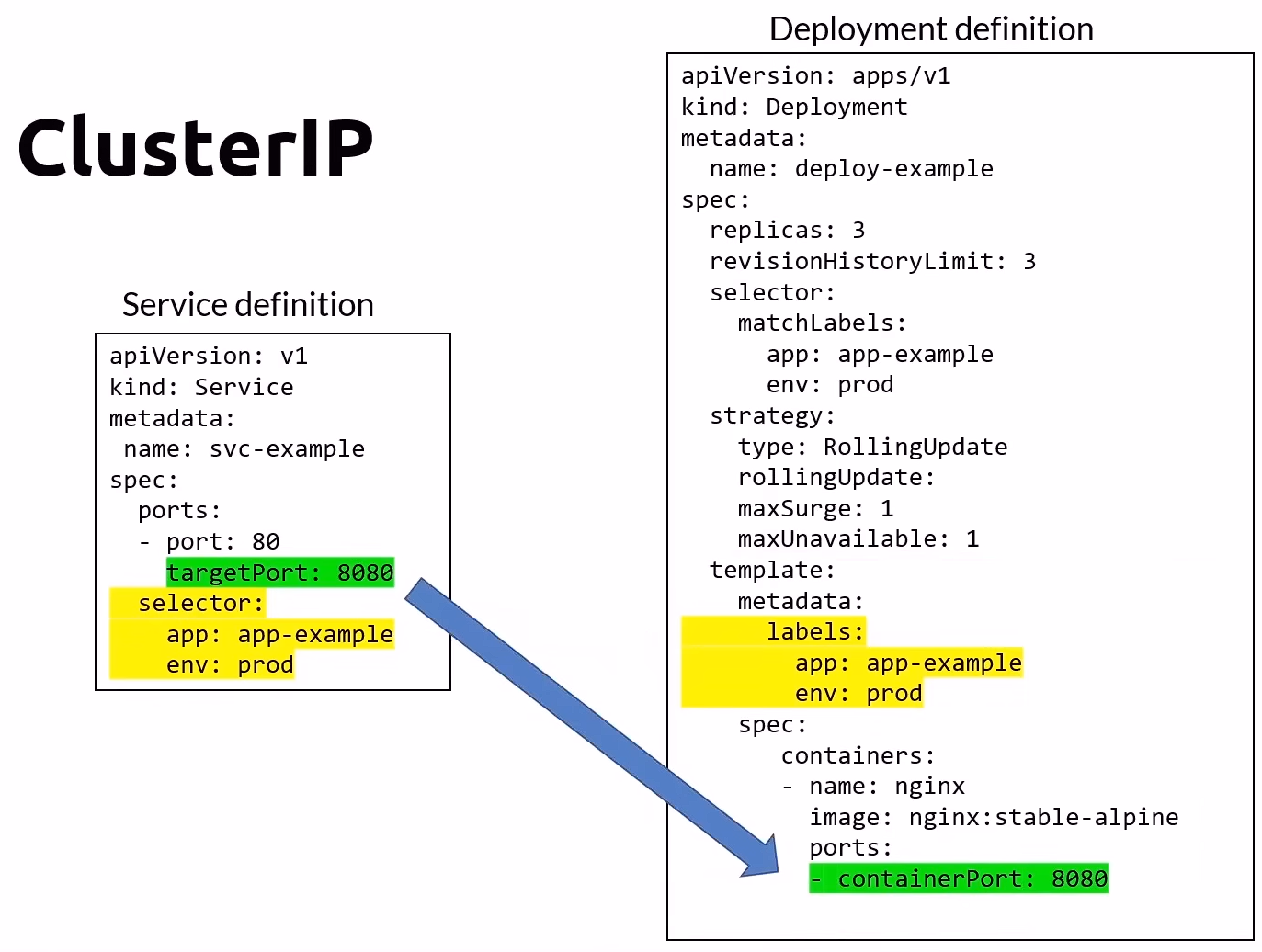
NodePort
- extend the ClusterIP service with internal and external visibility.
- 如果不指定對外port(30000~32767), k8s會自己幫你指定一個。
- Node必須要有公開的IP address,使用Node IP + nodePort 連接到你的 service
圖示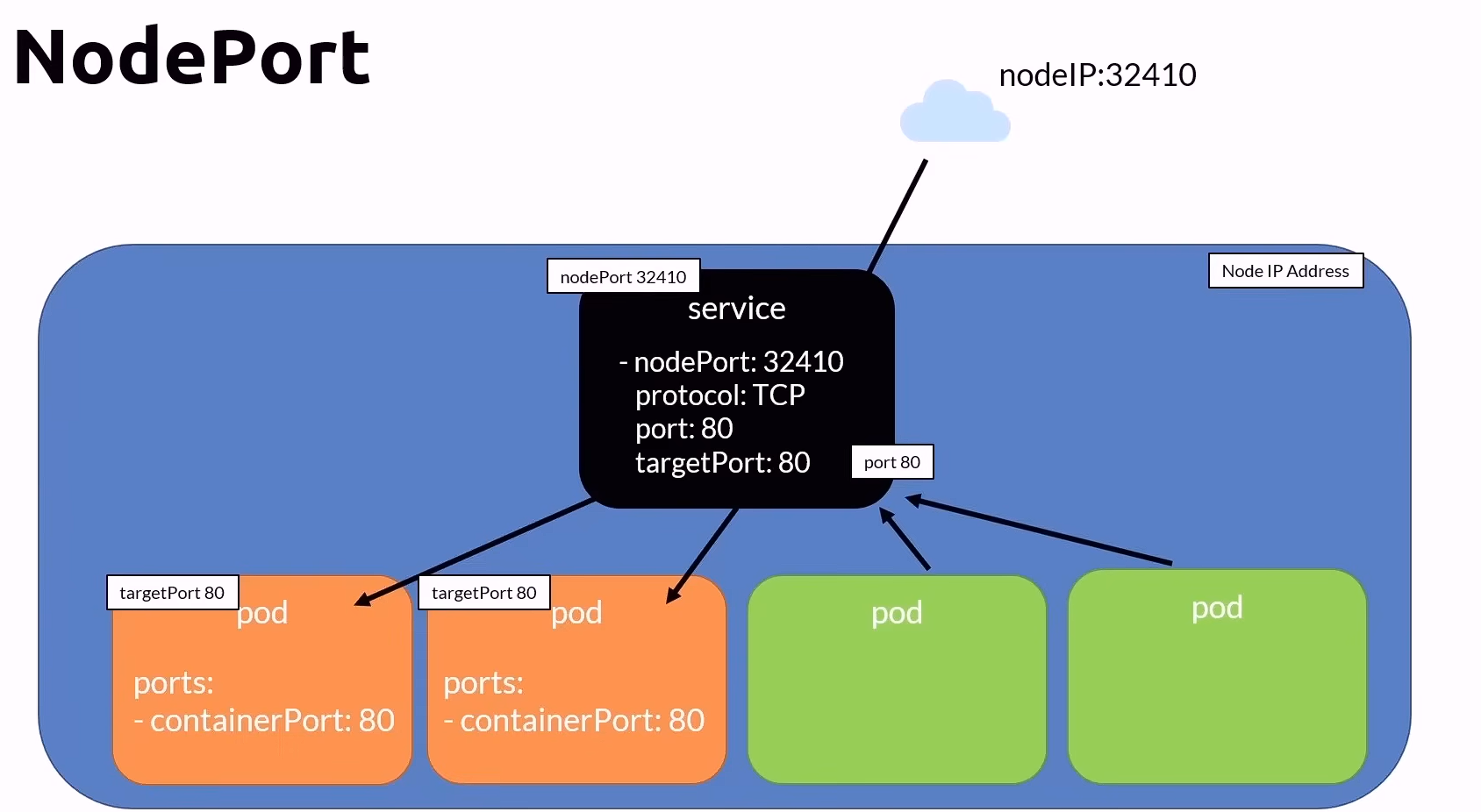
LoadBalancer L4 & Ingress L7
- Make you expose your applications outside of the cluster
- LoadlBalancer是給Cloud Provider,Cloud Provider會提供一組IP,連接到你的
port
🧱 Docker Desktop 的特例
Docker Desktop 沒有真實的 Load Balancer,也沒有外部 Node IP。為了讓開發體驗簡化,它模擬 LoadBalancer 行為:
當你建立一個:
1 | |
Docker Desktop 檢測到後,會建立一個轉發規則:
1 | |
也就是說:
在 Docker Desktop 環境裡,「Cluster 內部的 port(8080)」被綁定到了本機 localhost:8080。
所以你打 localhost:8080,其實等於從外部直接連進 ClusterIP:8080。
Storage & Persistence
- Persistent Volume(PV)
- Cluster wide & managed by administrator
- Persistent Volume Claims(PVC)
- One to one mapping to a persistent volume
- PVC can mount one or more pod on it.
- All conctainers within the pod share the same value.
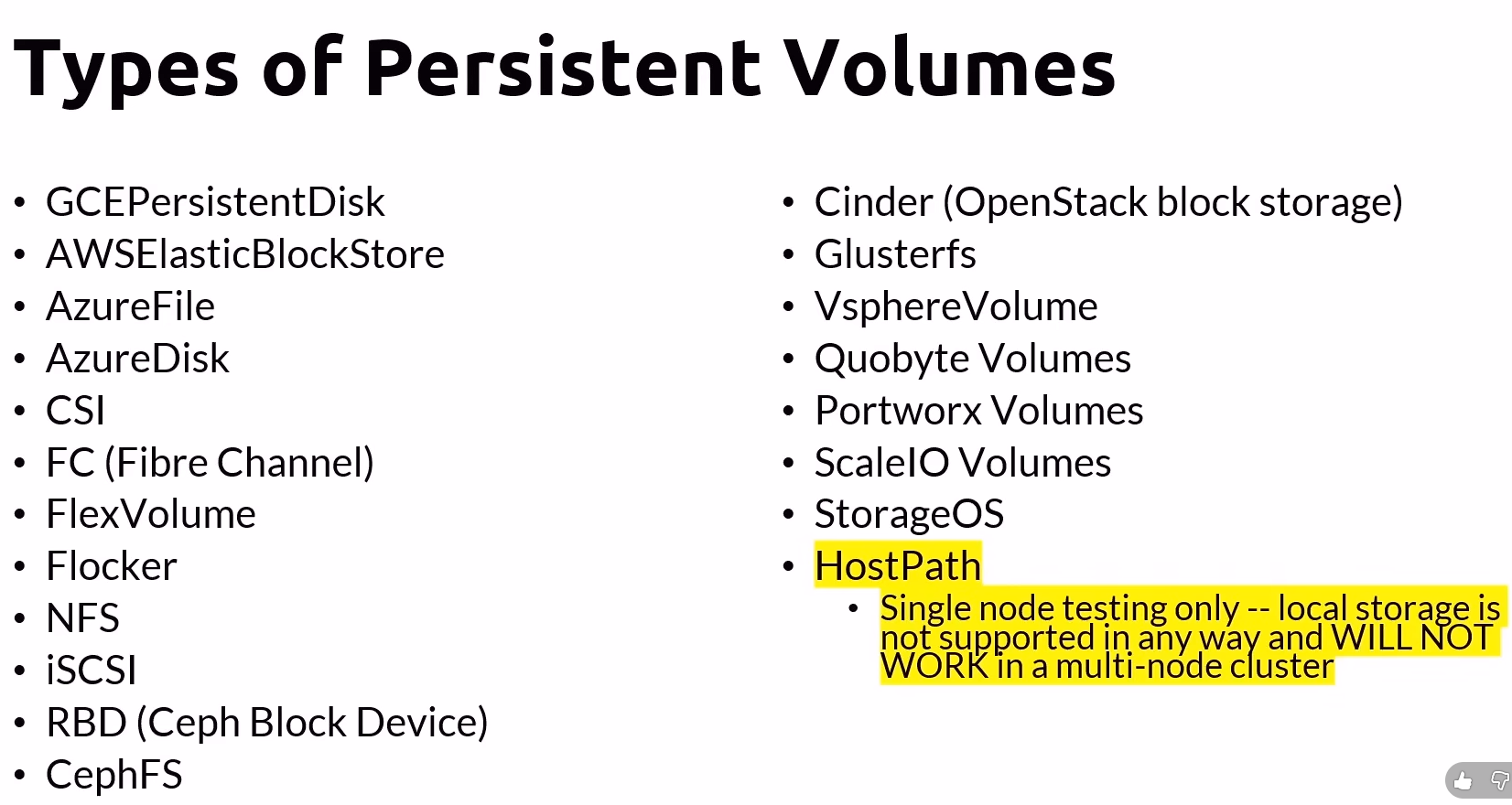
Persistent Volume & Persistent Volume Claims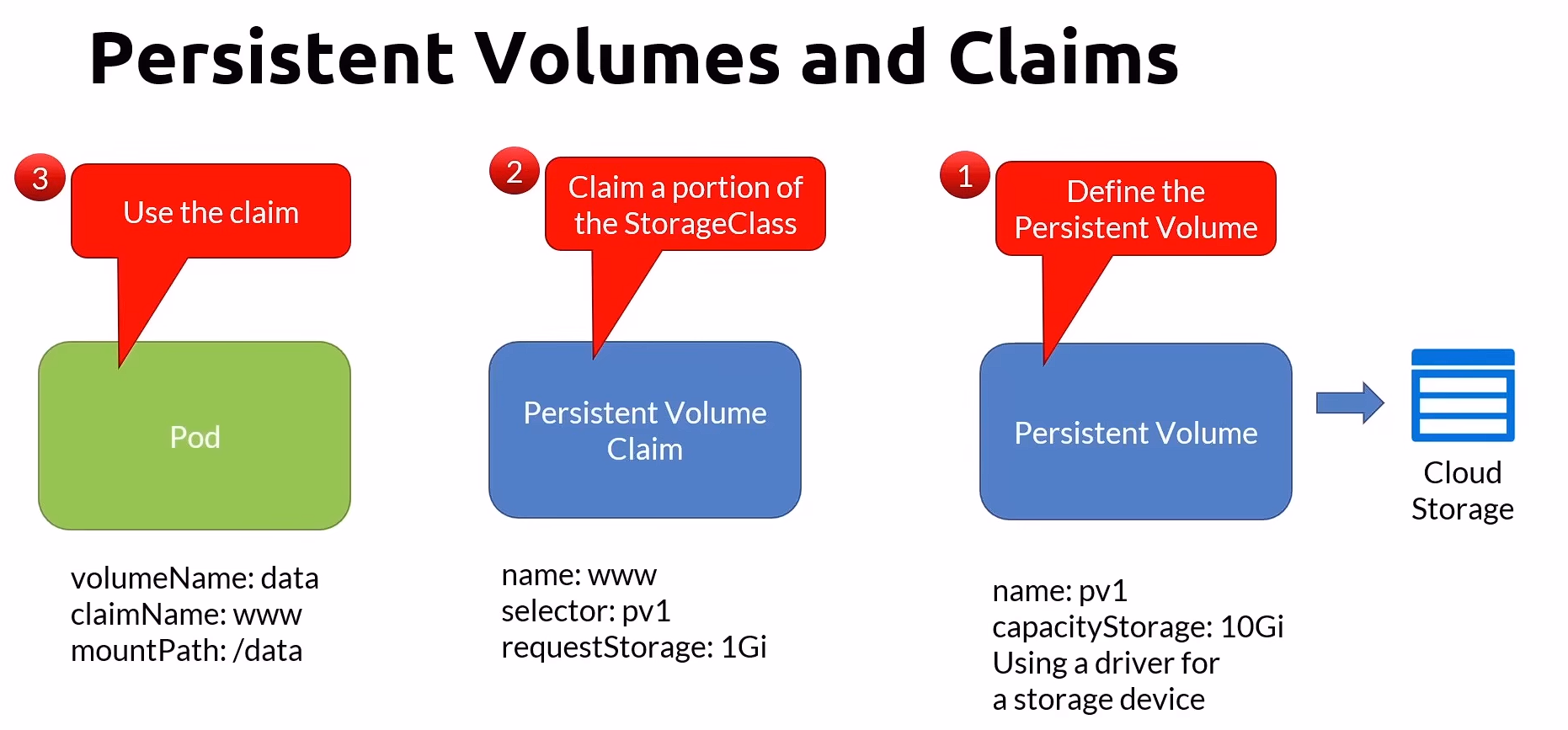
Recliam Policy
- Delete the data upon pod deleton.
- You can set the retain policy to keep your data.
Access Mode
ReadWriteManyThe volume can be mounted as read-write by many podsReadOnlyManyThe volume can be mounted read-only by many podsReadWriteOnceThe volume can be mounted as read-write by a single pod, and the other pods are in read-only mode. The first one have the authoriy to implement write.
圖示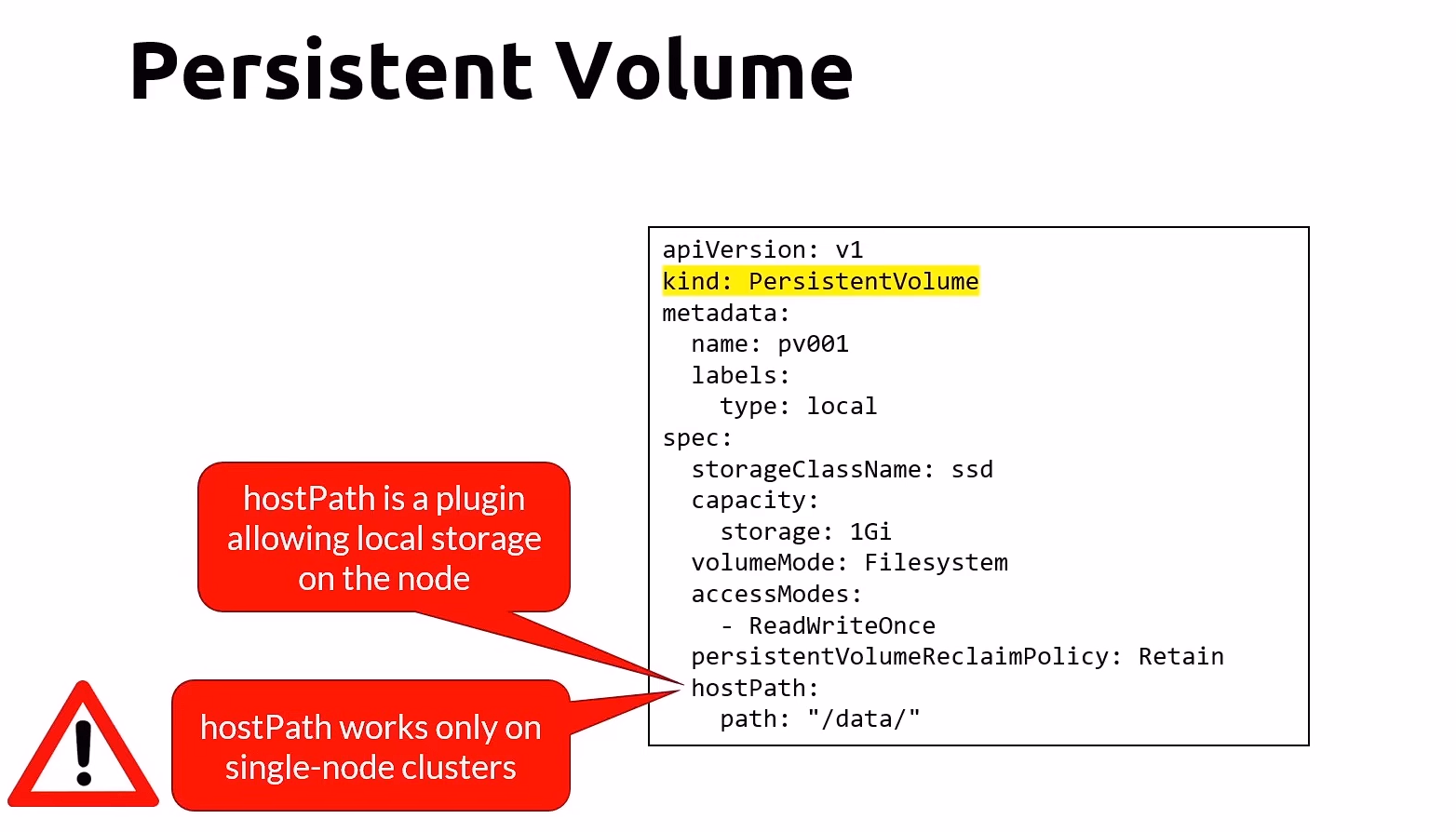
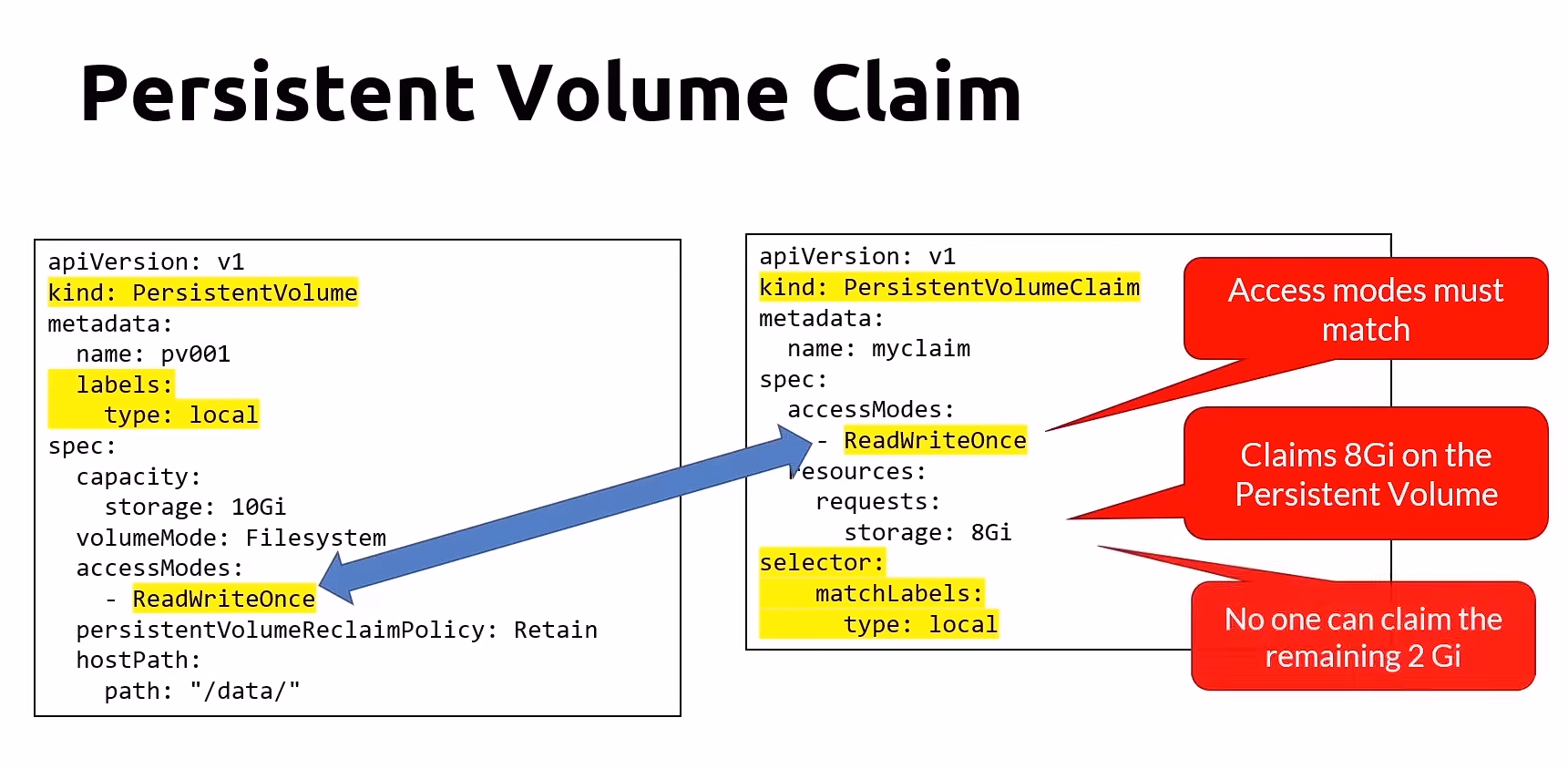
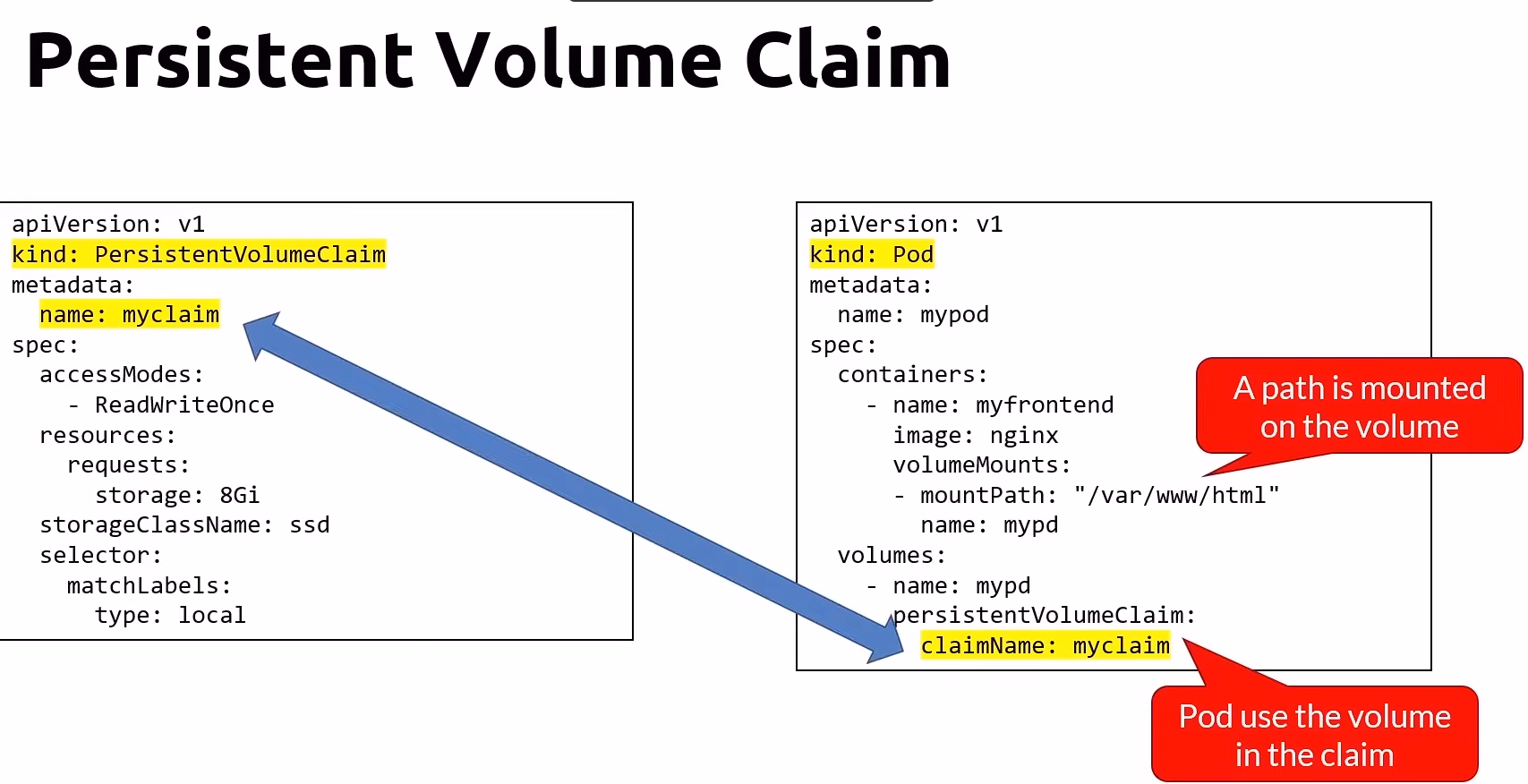
Persistent Volume state
AvailableA free resource that is not yet bound to a claim.BoundThe volume is bound to a claimReleasedThe claim has been deleted, but the resource is not yet reclaimed by the cluster.FailedThe volume has failed it automatic reclamation.
StorageClass
- represent a class storage offered by the admin
- A abstraction on top of an external storage resource.
- No need to set a capacity
- Eliminates the need for the admin to pre-provision a persistent volume.
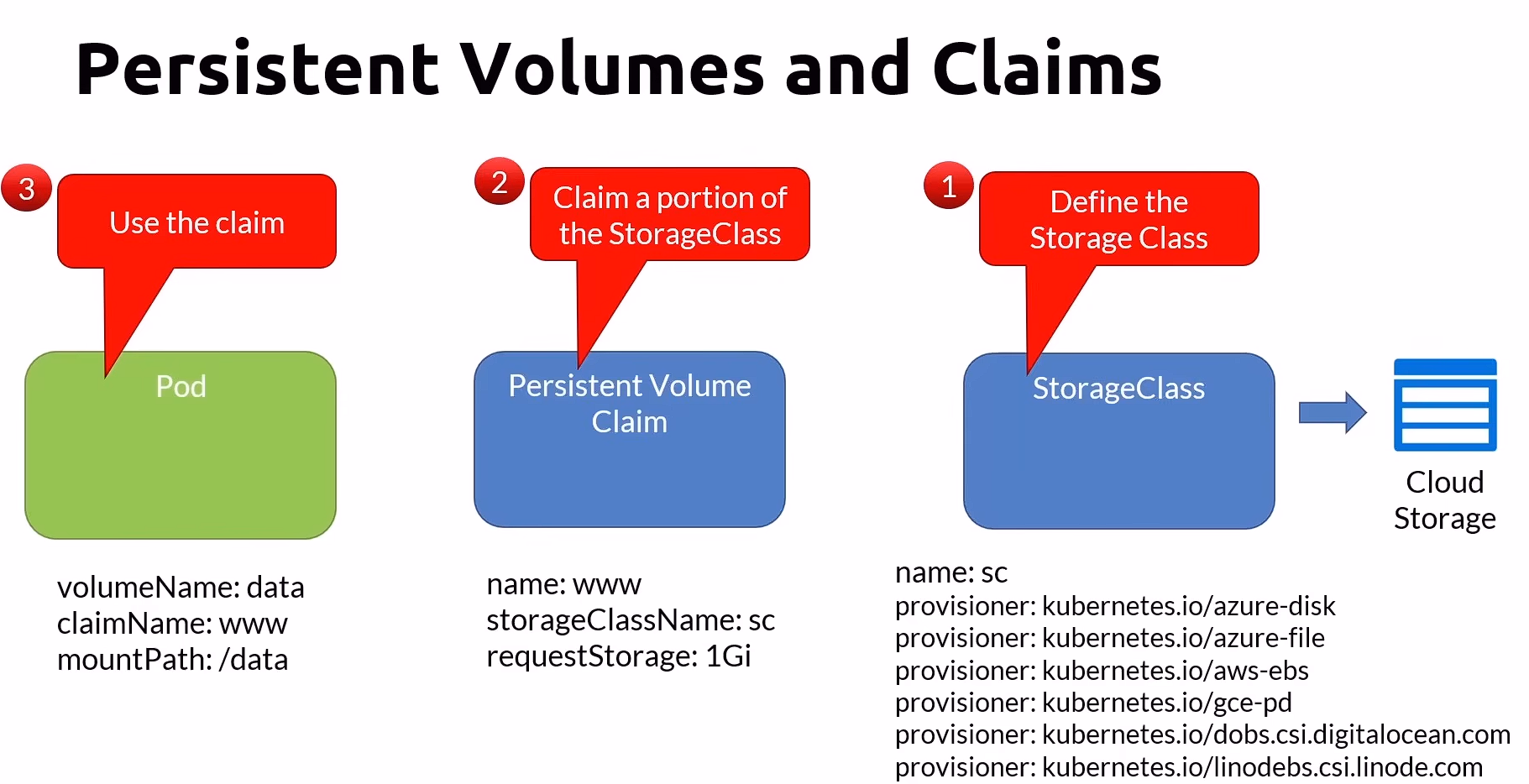
StorageClass yaml
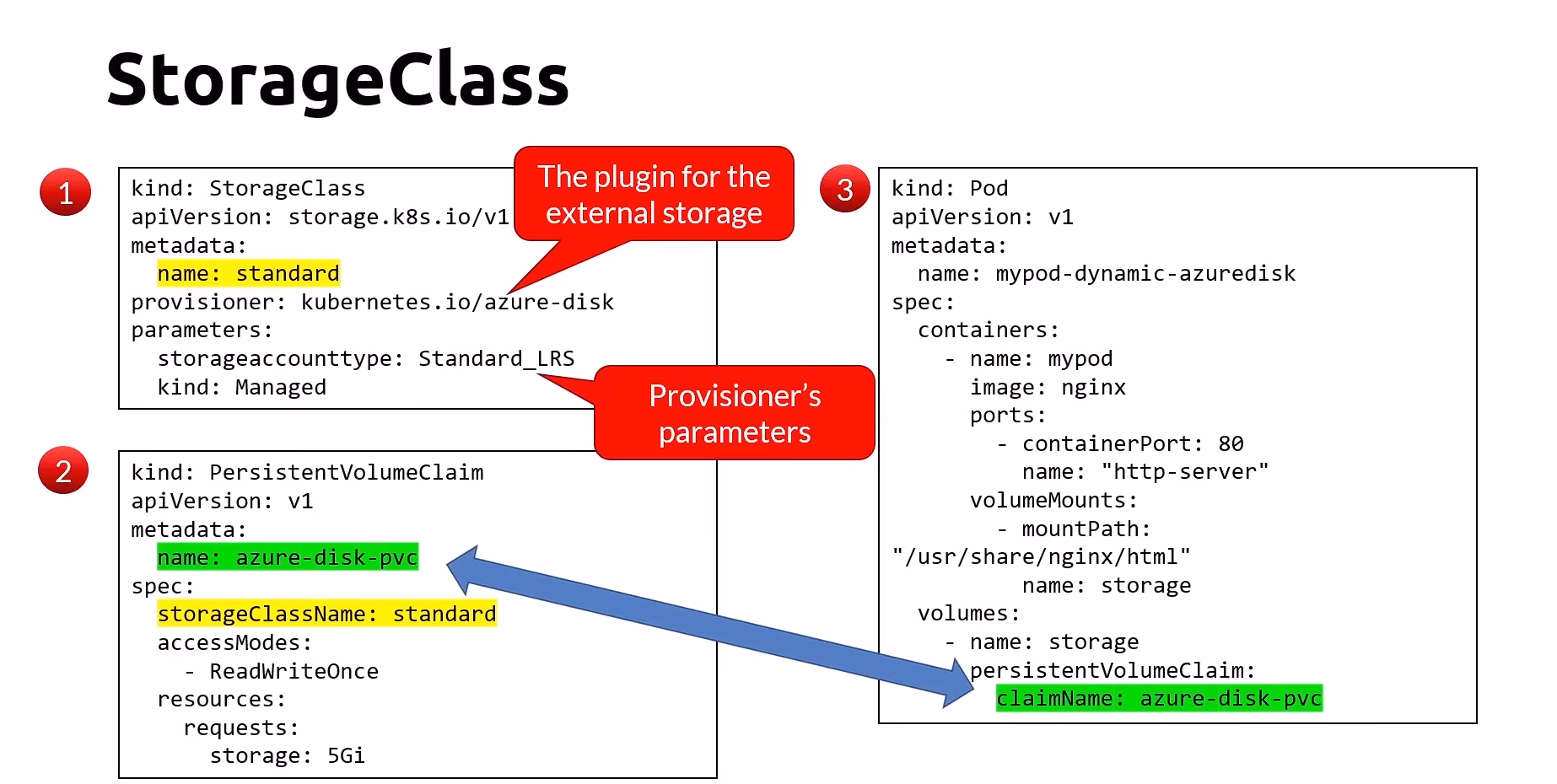
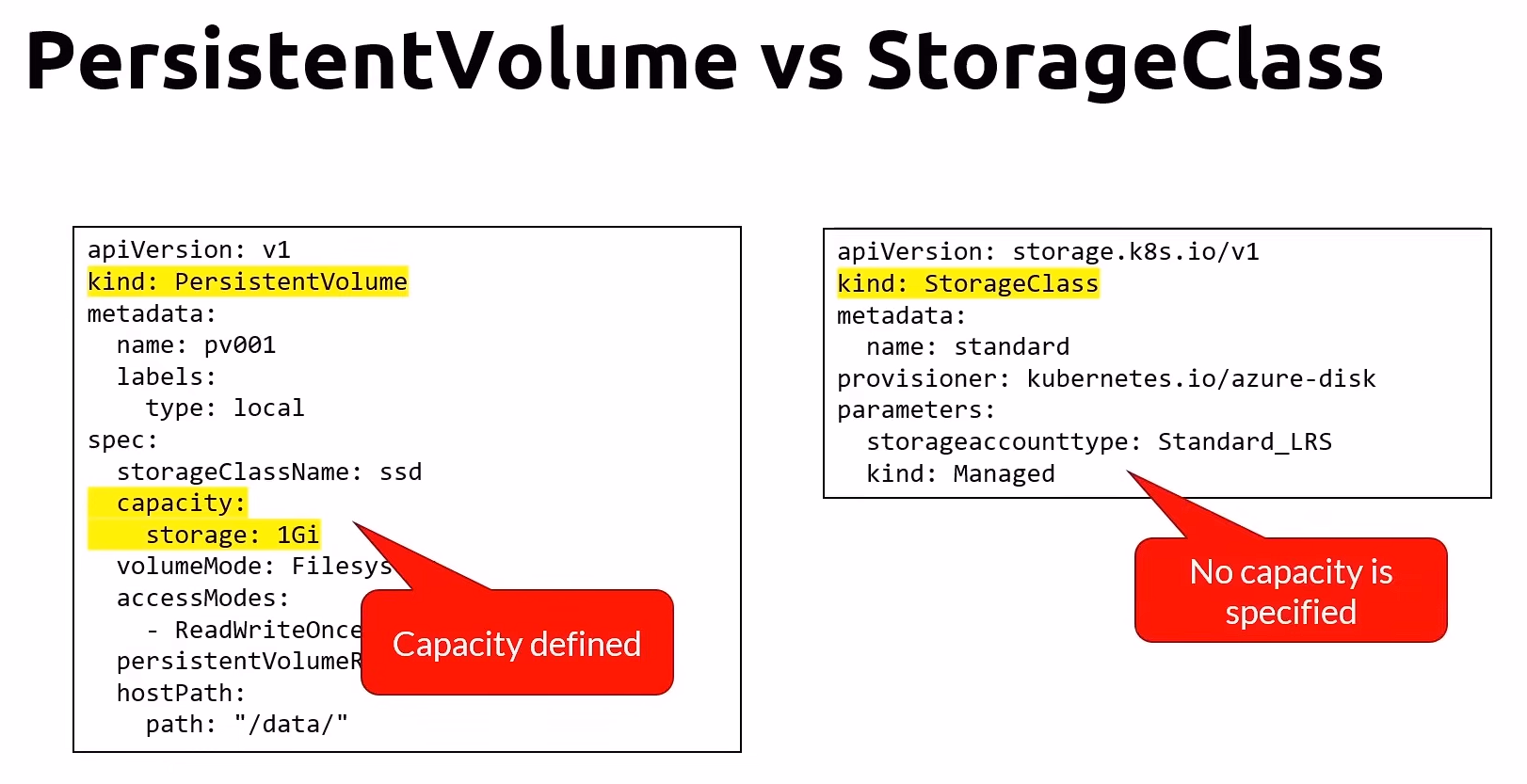
Application Settings
ConfigMap
- Decouple and externalize configuration.
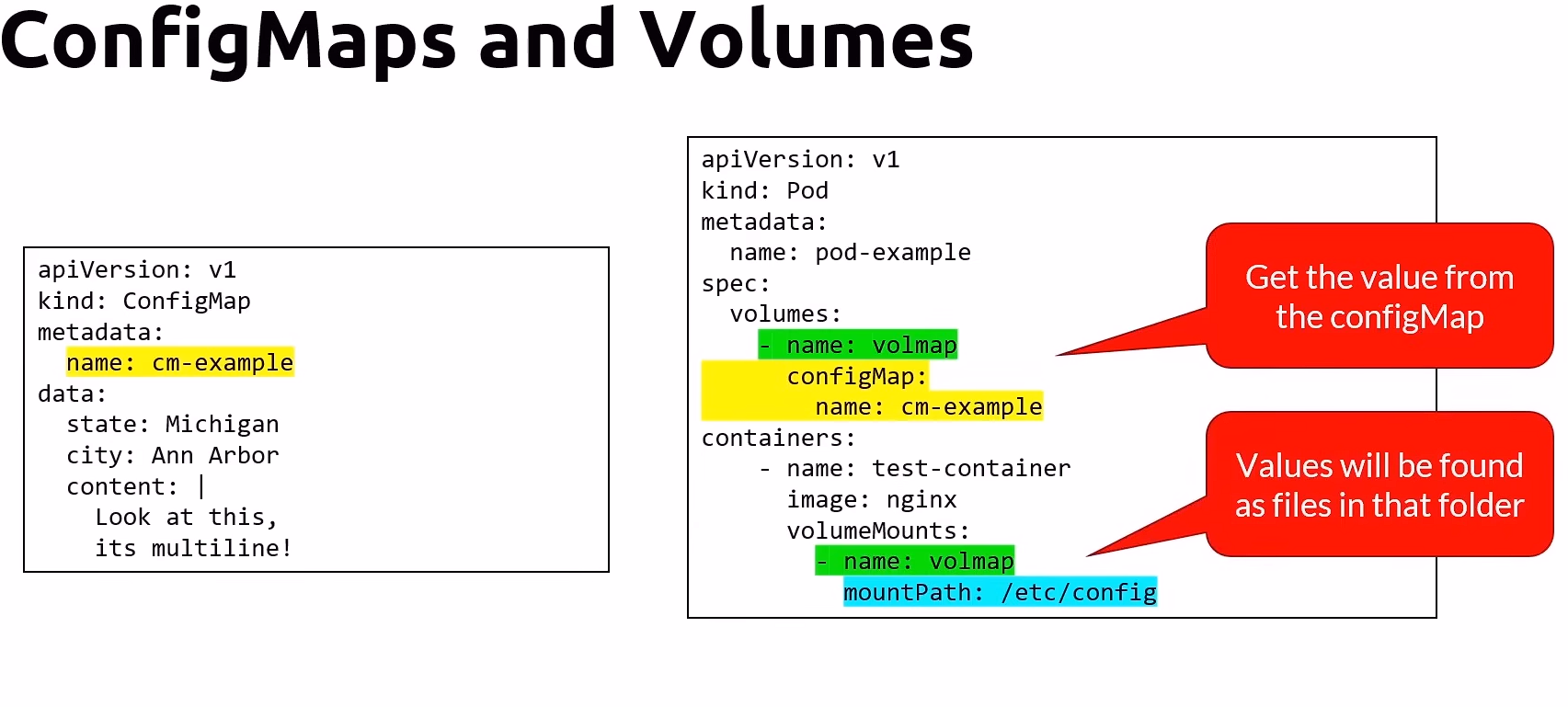
- static meaning that if you change values, the container will have to be restarted to get them.
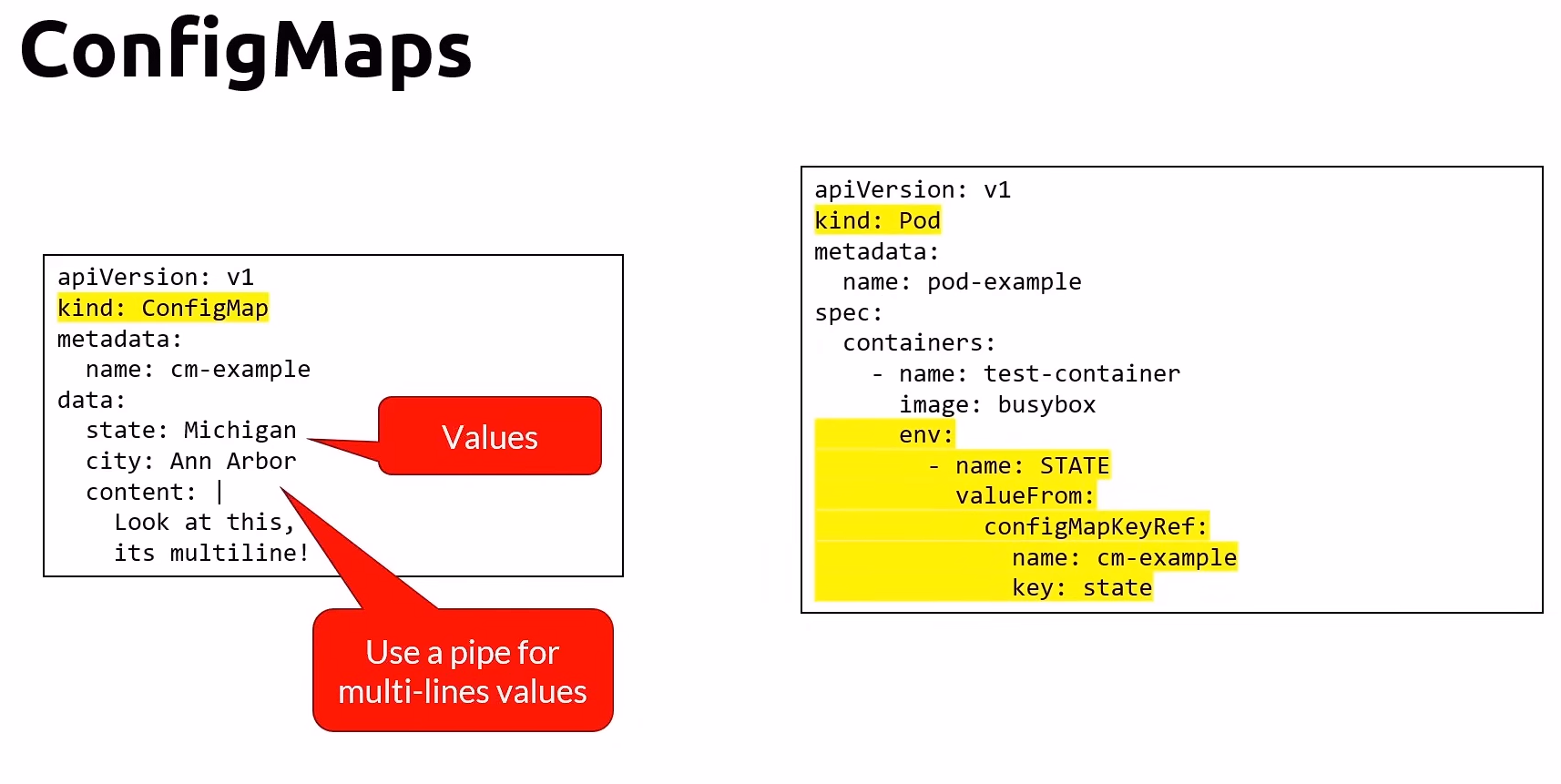
To solve the static problem, using Volume instead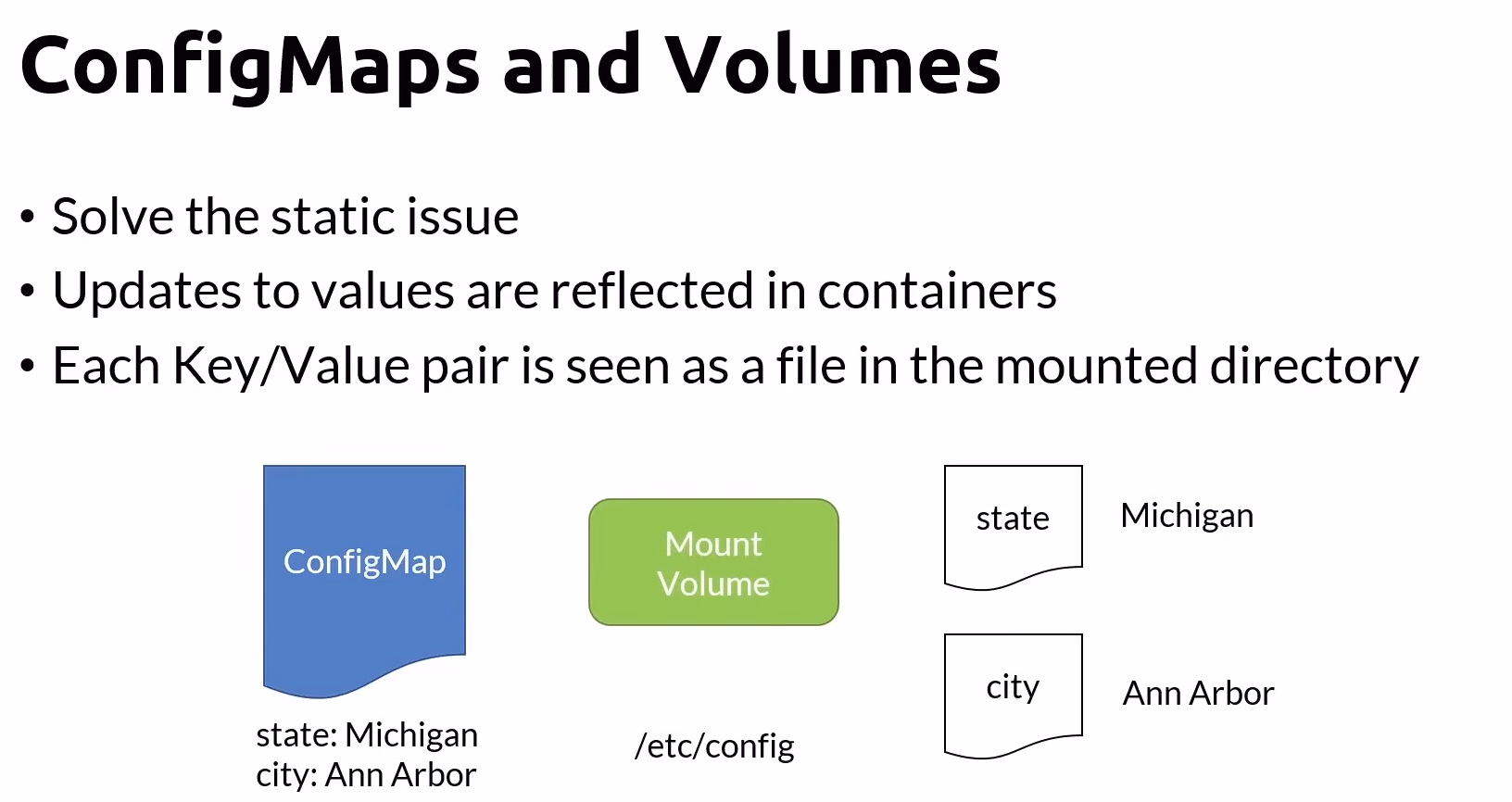
Secret
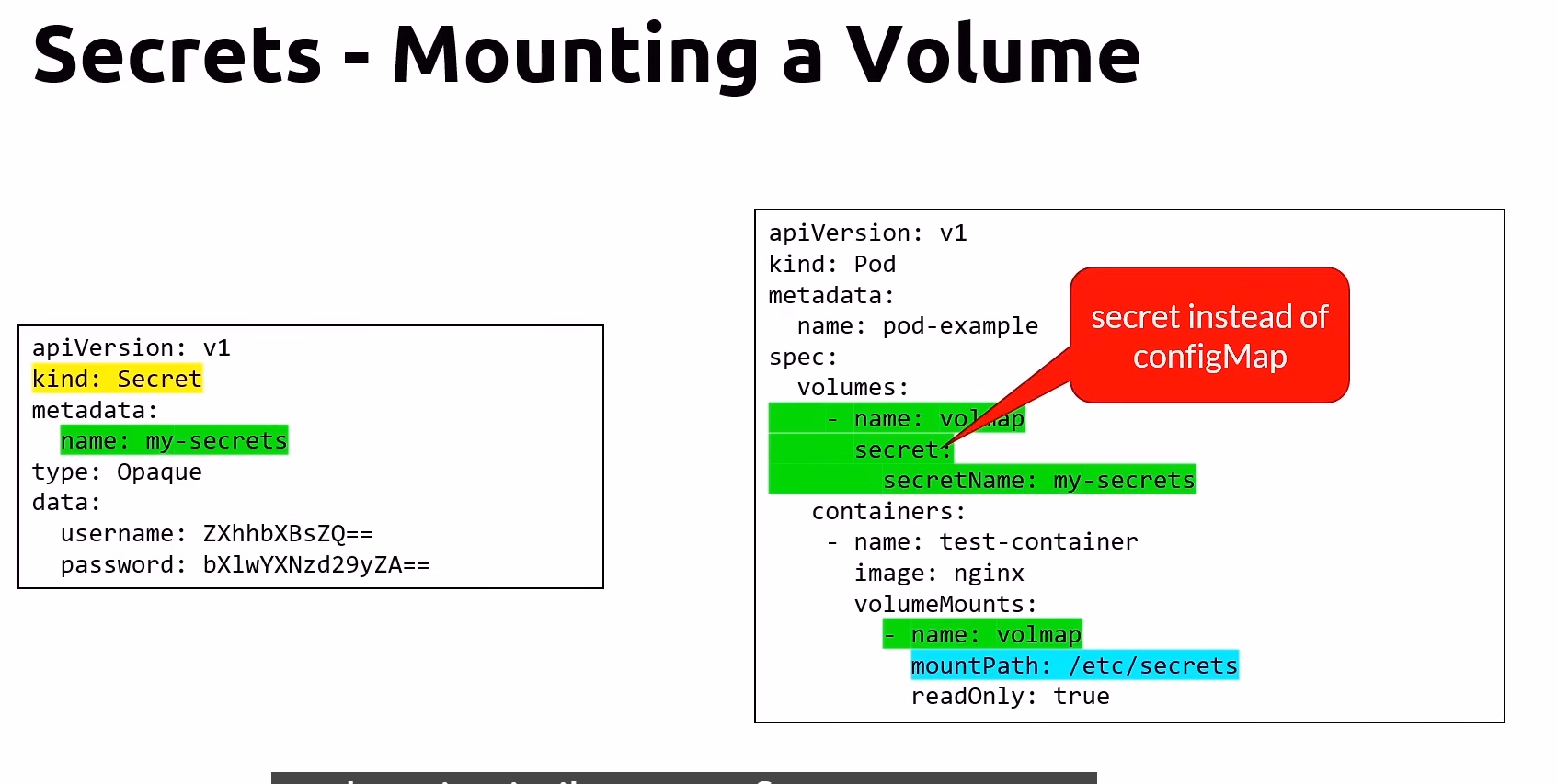
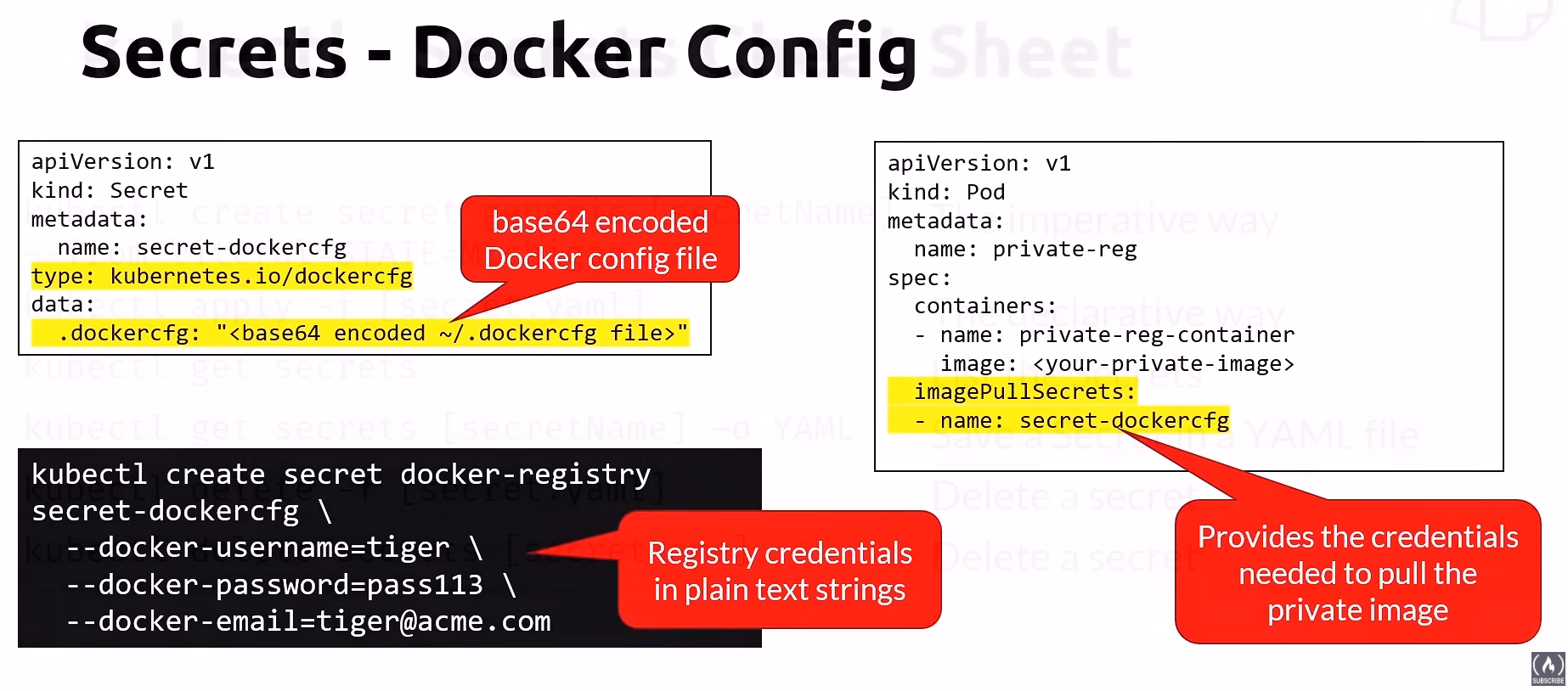
- Stored as base64 encoded string
- Not secure
- To upgrade security, you should try to implement RBAC authorization Policy. or store secrets elsewhere
Observalibilty
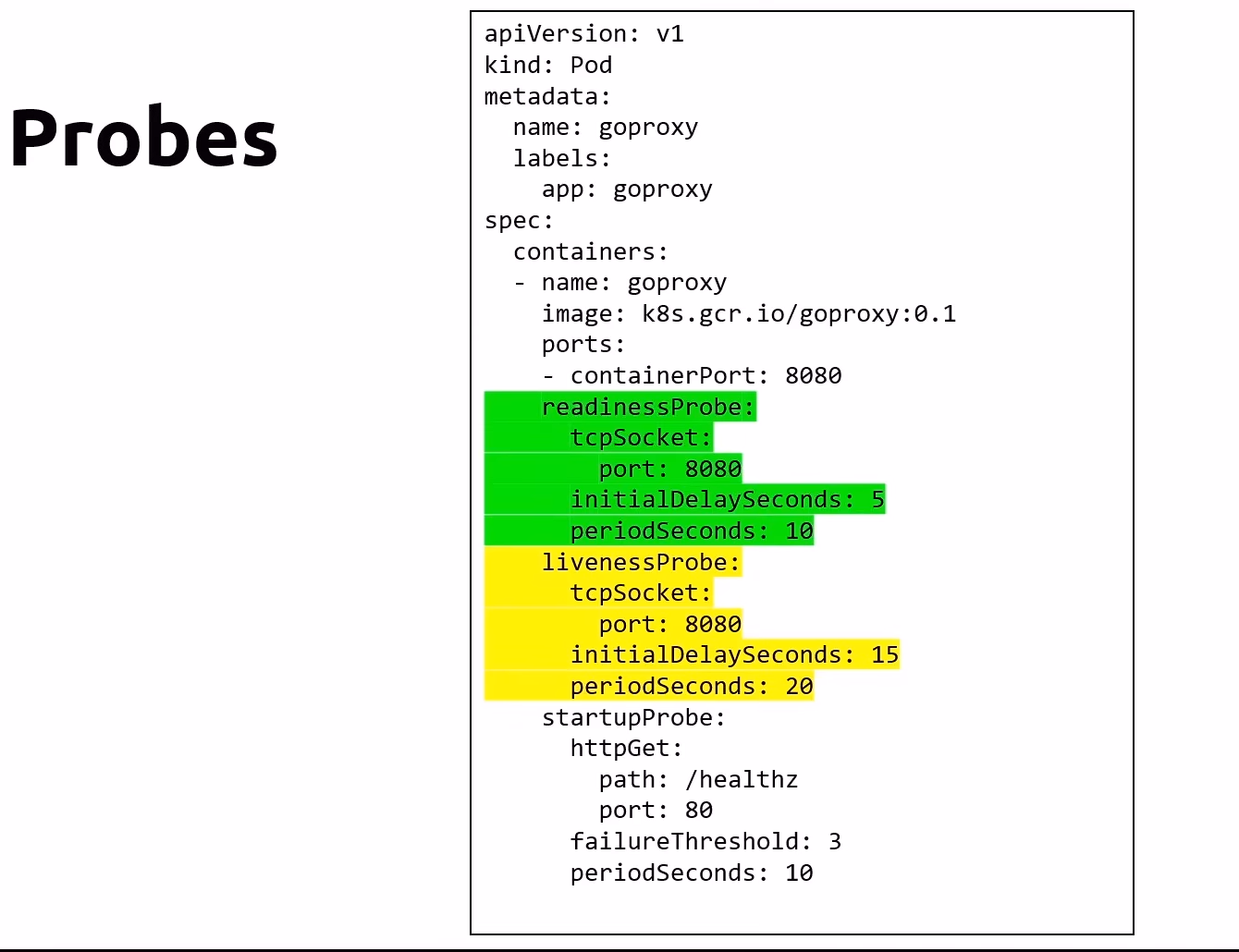
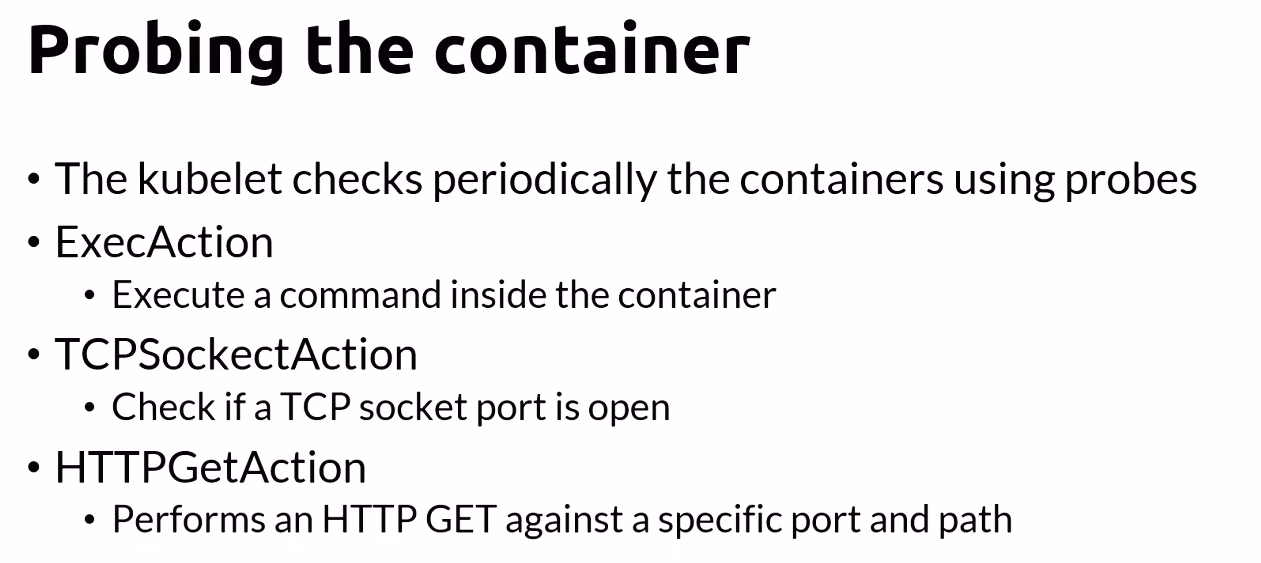
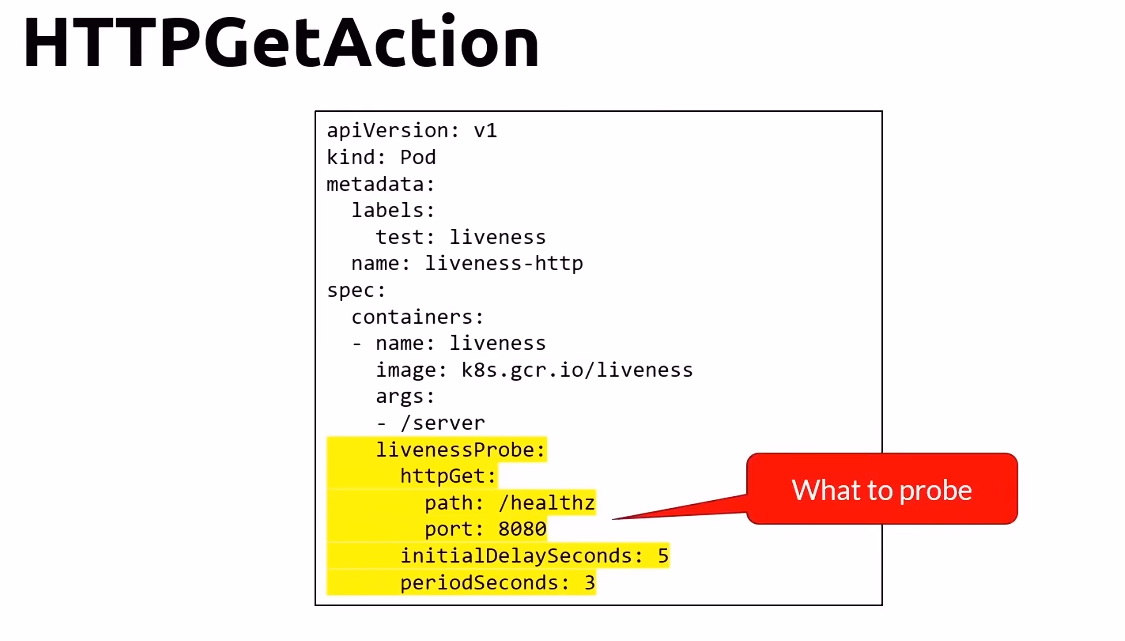
- K8s會在
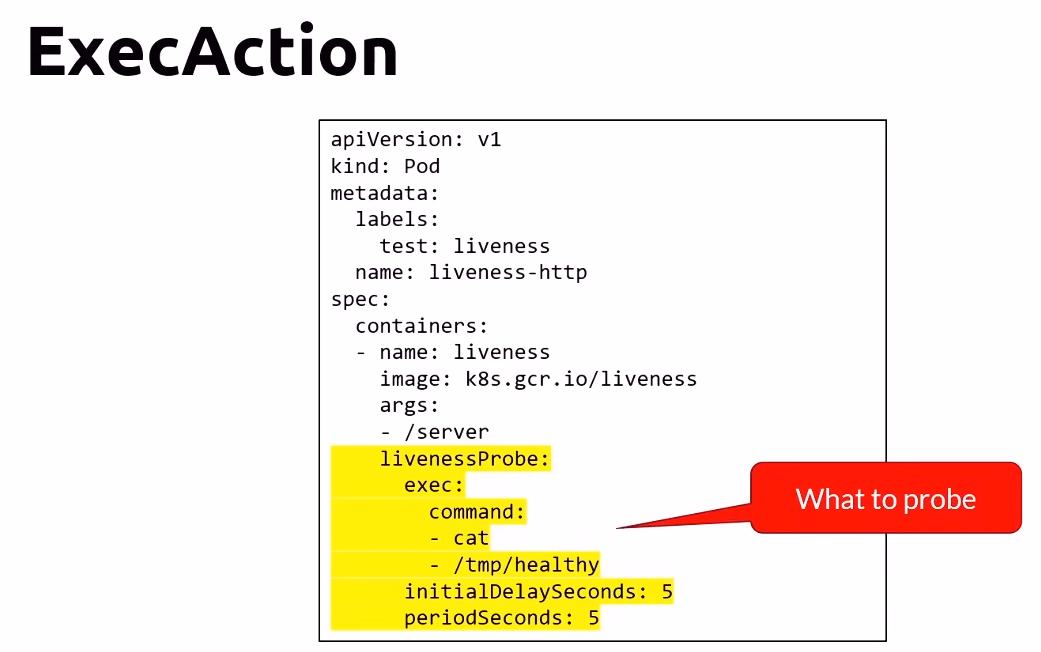
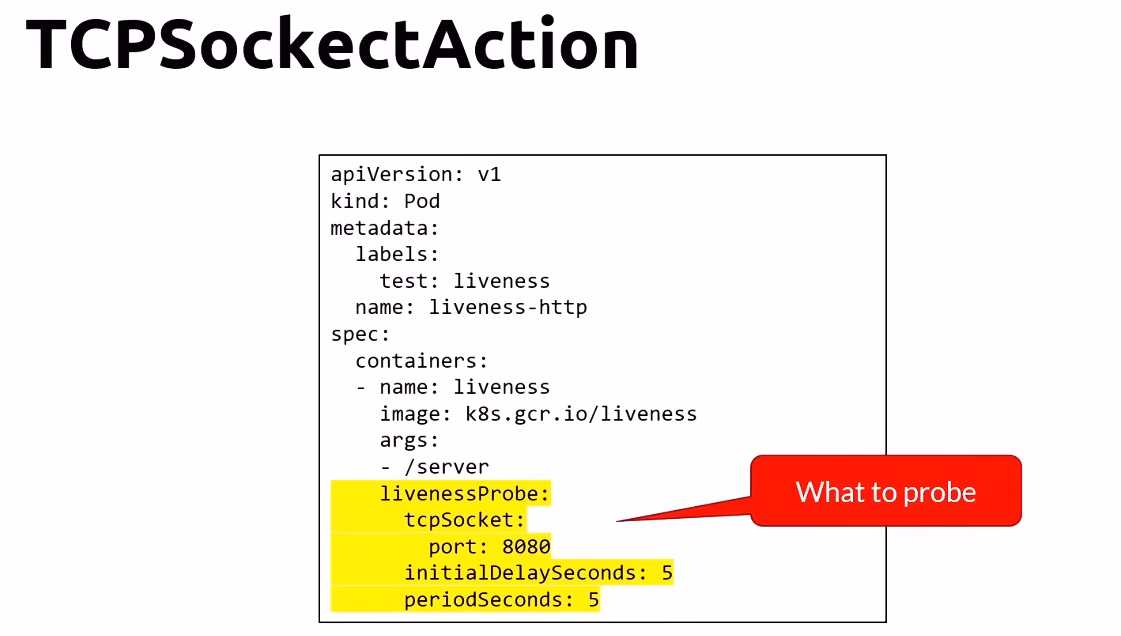
Pod異常時重新建立一個Pod、但是如果是Container失敗他就不會做任何事。 Readiness Probes可以知道container啟動的時間,可以告訴Kubernetes先等待,才接受流量。Liveness Probes可以知道code是否正在運行,也可以重啟container
- StartupProbe 請 k8s 等待 10s後才對/health 發出 HTTP calls.並最多嘗試三次。
- ReadinessProbe 請 k8s 在 5 秒後開始檢查是否準備好,每十秒使用 TCP socket 連線測試。失敗會停止接受 pod traffic
- LivenessProbe 請k8s在 15 秒後開始檢查是否活著,每二十秒使用 TCP socket 連線測試。 失敗會重啟pod
Dashboards
- Lens
- K9s
Scaling
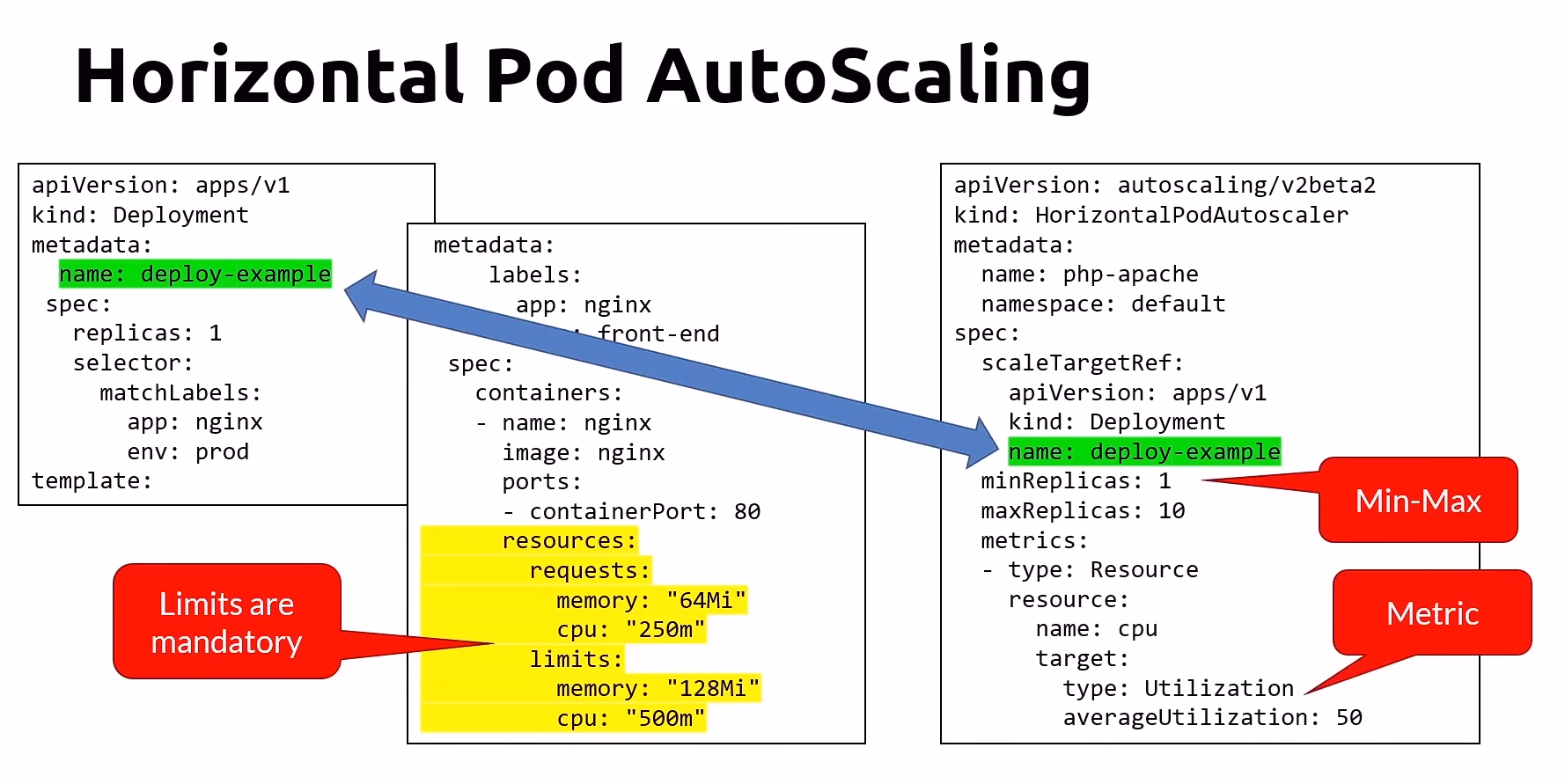
Horizontal Pod AutoScalinguse the K8s Metrics Server- Pods must have requests and limits defined
- The HPA checks the Metrics Server every 30s.
- Scale according to the min and max number or replicas defined
- Cooldown / Delay
- Prevent racing condition
- Once a change has been made, HPA waits
- By default, the delay on scale up events is 3 minutes, and the delay on scale down event is 5 minutes.
yaml
常見Kubernetes 指令
| Command | Description | |
|---|---|---|
| 1 | kubectl create job [jobName] --image=[imageName] |
The imperative way |
| 2 | kubectl get job |
List jobs |
| 3 | kubectl describe job [jobName] |
Get info |
| 4 | kubectl delete job [jobName] |
Delete a job |
| 5 | kubectl create cronjob [jobName] --imgage=[imageName] --schedule="*/ * * * *" -- bin/sh -c "date;" |
The imperative way |
| 6 | kubectl get cf |
List CrobJobs |
| 7 | kubectl describe cf [jobName] |
Get info |
| 7 | kubectl delete cf [jobName] |
Delete a cronJob |
| Rolling Update | ||
| 1 | kubectl rollout status |
Get the progress of the update |
| 2 | kubectl rollout history deployment [deployment] |
Get the history of the deployment |
| 3 | kubectl rollout undo [deploymentName] |
Rollback a deployment |
| 4 | kubectl rollout undo [deploymeny] --to-revision=[revision#] |
Rollback to a revision number |
| Service | ||
| 1 | kubectl expose po [podname] --port=80 --target-port=8080 --name=frontend |
Create a service to expose a pod |
| 2 | kubectl expose deploy [deployName] |
Create a service to expose a deployment |
| 3 | kubectl get svc |
Get the service list |
| 4 | kubectl get svc -o wide |
Get extra info |
| 5 | kubectl describe svc [servicename] |
Describe the service |
| 6 | kubectl delete svc [servicename] |
Delete the service using it’s name |
| NodePort cheatsheet | ||
| 1 | kubectl expose po [podname] --port=80 --targetPort=8080 --type=NodePort |
Create a service to expose a pod(You can not set nodePort!!!) |
| 2 | kubectl expose deploy [deplyName] --port=80 --targetPort=8080 --type=NodePort --name=frontend |
Create a service to expose a deployment |
| PV&PVC cheatsheet | ||
| 1 | kubectl get pv |
Get the PV list |
| 2 | kubectl get pvc |
Get the PVC list |
| 3 | kubectl describe pv [pvname] |
Describe the PV |
| 4 | kubectl describe pvc [pvcname] |
Describe the PVC |
| 5 | kubectl delete pv [pvname] |
Delete the PV |
| 6 | kubectl delete pvc [pvcname] |
Delete the PVC |
| 7 | kubectl get sc |
List the StorageClass |
| 8 | kubectl describe sc [className] |
Describe the StorageClass |
| ApplicationSetting | ||
| 1 | kubectl create cm [name] --from-file=config.txt |
Create configMap from file |
| 2 | kubectl create cm [name] --from-file=config/ |
Create configMap from folder |
| 3 | kubectl get cm |
List the ConfigMaps |
| 4 | kubectl get cm [name] -o YAML |
Save a ConfigMap in a YAML file |
| 5 | kubectl create secret generic [secretName] --from-literal=STATE=Michigan |
The imperative way |
| 6 | kubectl get secrets |
List the secrets |
| HPA | ||
| 1 | kubectl autoscale deploy [name] --cpu-percent=50 --min=3 --max=10 |
The imperative way |
| 2 | kubectl get hpa |
Get the auto scaler status |
| 1 | kubectl delete hpa [name] |
Delete the HPA |
My forth day started learning Kubernetes
https://clark1945.github.io/2025/11/09/My-forth-day-started-learning-Kubernetes/